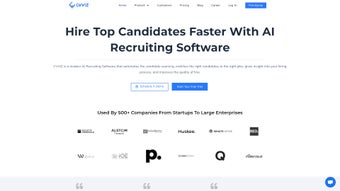

Download CVViZ – AI‑powered recruitment software for faster hiring
Introduction
In a hyper‑competitive talent market, the speed and precision of your hiring process can dictate whether your organization scales successfully or stalls. Traditional applicant tracking systems (ATS) often require recruiters to wade through endless stacks of resumes, manually post jobs to multiple boards, and chase candidate communications across disparate tools. CVViZ disrupts that paradigm by delivering an all‑in‑one, AI‑driven recruitment platform that automates the most time‑consuming tasks while preserving the human touch where it matters most.
Whether you are a fast‑growing startup looking to fill a handful of critical engineering roles or a multinational corporation orchestrating a high‑volume hiring campaign, CVViZ offers a cloud‑native solution that adapts to any scale. This review walks you through the core capabilities, installation experience, system requirements, and the real‑world pros and cons reported by users. By the end, you’ll understand how CVViZ can streamline your hiring workflow, improve candidate quality, and ultimately lower recruitment spend—all while maintaining strict data‑security standards.
Ready to see how AI can transform your talent acquisition? Let’s dive in.
Overview
CVViZ positions itself as a comprehensive recruitment hub that fuses AI‑powered resume parsing, multi‑channel sourcing, and a fully integrated applicant tracking system. The platform’s AI engine reads each uploaded CV, extracts key competencies, experience levels, certifications, and even soft‑skill indicators, then scores candidates against a custom scoring model you define for each role. This scoring happens in real time, allowing recruiters to view a ranked shortlist within seconds of a candidate’s application.
Beyond the core screening function, CVViZ offers a sourcing engine that automatically publishes job ads to over 2,000 global job boards, aggregates talent from LinkedIn, GitHub, and niche industry sites, and even pulls passive candidates from external databases. All interactions—email outreach, interview scheduling, feedback collection—are consolidated in a built‑in recruitment CRM, ensuring that communication threads remain organized and searchable. The platform also provides a beta employee‑referral module, enabling companies to tap into their existing workforce for referrals, complete with incentive tracking and automated acknowledgment emails.
Analytics play a pivotal role: a dedicated dashboard surfaces time‑to‑fill, cost‑per‑hire, source‑of‑hire, and diversity metrics, empowering HR leaders to make data‑driven decisions. Security is baked in, with GDPR‑compliant storage, AES‑256 encryption at rest, and TLS 1.3 for data in transit. Regular compliance patches and monthly feature releases keep the system current without downtime.
In short, CVViZ aims to replace a fragmented stack of recruiting tools with a single, intelligent, and secure solution.
Pros
- Rapid AI screening cuts manual resume review time by up to 80%.
- One‑click multi‑board posting eliminates duplicate job listings.
- Robust analytics provide clear ROI on every recruitment campaign.
- Secure, cloud‑based architecture ensures data privacy and remote accessibility.
- Scalable pricing fits both SMBs and enterprise‑level hiring needs.
Cons
- Initial AI model training requires clean historical job data for best accuracy.
- Beta referral engine may need further refinement before full production use.
- Advanced workflow customization can be complex for first‑time users.
- Subscription cost is higher than basic free ATS options.
- Continuous internet connection is required; offline mode is unavailable.
Key Features & Benefits
- AI‑Powered Resume Screening – Real‑time parsing and ranking based on custom scoring models.
- Smart Candidate Sourcing – Automatic posting to 2,000+ job boards and aggregation from external talent pools.
- Integrated Applicant Tracking System – End‑to‑end pipeline management, interview scheduling, and status reporting.
- Recruitment CRM – Centralised inbox, bulk email templates, and activity tracking for seamless communication.
- Employee Referral Engine (Beta) – Incentivised referral program leveraging existing staff networks.
- Analytics Dashboard – KPI tracking, time‑to‑fill metrics, and diversity reporting for data‑driven decisions.
- Customisable Workflows – Drag‑and‑drop pipeline stages and role‑specific automation rules.
- Secure Cloud Architecture – GDPR‑compliant storage, role‑based access controls, and regular security audits.
- Multi‑Language Support – Interface and candidate communication available in 12+ languages.
- Continuous Updates – Monthly feature releases and AI model improvements without downtime.
Installation, Setup & Compatibility
Getting Started – Account Creation & First‑Login
CVViZ is delivered as a pure SaaS web application, eliminating the need for local installations or license keys. To begin, navigate to the official CVViZ homepage and click “Start Free Trial.” After entering your company name, work email, and basic contact details, you’ll receive a verification link. Follow the link, set a strong password, and you’ll be directed to the cloud dashboard. Because the platform runs entirely in the browser, the only prerequisite is a modern, up‑to‑date browser such as Chrome, Edge, Firefox, or Safari. For organizations that require single sign‑on (SSO), CVViZ integrates seamlessly with Azure AD, Okta, and OneLogin, allowing you to enforce corporate authentication policies from day one.
Configuration – Building Your First Hiring Workflow
Upon first login, an intuitive onboarding wizard guides you through three critical steps: defining hiring roles, mapping interview stages, and connecting job boards. In the role‑definition screen, you can upload a sample job description; CVViZ’s AI extracts key skills, experience thresholds, and education requirements, then automatically builds a scoring rubric. You can fine‑tune this rubric by assigning weight percentages to each skill or adding custom criteria such as certifications or language proficiency.
The interview stage builder offers pre‑set templates (Screening, Technical, HR, Offer) and a drag‑and‑drop editor for creating bespoke stages, complete with automated email triggers and task assignments. Finally, the integration hub lists all supported job boards; a single click enables multi‑posting, and the system will synchronize new listings daily. Once these foundations are in place, you can start importing candidates either by bulk uploading resumes (CSV or PDF) or by activating the AI‑driven sourcing engine, which continuously pulls talent from partnered boards and updates the candidate pool in real time.
System Requirements & Supported Operating Systems
Because CVViZ operates in the cloud, it is compatible with any operating system that supports modern web browsers. Officially supported platforms include:
- Windows 10, 11 (any edition)
- macOS Catalina (10.15) and later
- Linux distributions with recent Chromium or Firefox builds
- iOS 13+ (Safari) and Android 9+ (Chrome) for mobile access via a responsive design
Frequently Asked Questions
How does CVViZ’s AI evaluate resumes?
CVViZ employs natural language processing (NLP) to parse each resume, extracting skills, experience, education, and certifications. The extracted data are then matched against the scoring model you define for each opening, producing a relevance score on a 0‑100 scale. Recruiter feedback (e.g., “yes” or “no” on shortlists) continuously refines the weighting algorithm for greater accuracy over time.
Can I integrate CVViZ with my existing HRIS or payroll system?
Yes. CVViZ provides RESTful APIs and pre‑built connectors for major HRIS platforms such as Workday, SAP SuccessFactors, and BambooHR, allowing seamless synchronization of candidate data, job requisitions, and employee records.
Is there a limit on the number of job postings I can create?
Posting limits are tied to your subscription tier. The “Professional” plan offers unlimited postings to all supported boards, while the “Starter” plan caps at 50 active postings per month. Upgrades are available at any time.
What security measures protect candidate data?
CVViZ runs on ISO‑27001‑certified cloud infrastructure, uses AES‑256 encryption at rest, TLS 1.3 for data in transit, and enforces role‑based access controls. Regular third‑party penetration tests and GDPR‑compliant policies ensure data confidentiality.
Can I try CVViZ before committing to a subscription?
Absolutely. CVViZ offers a 14‑day free trial with full access to core features, including AI screening and multi‑board posting. No credit card is required; simply sign up, configure your first role, and start evaluating candidates immediately.
Conclusion & Call to Action
In today’s talent‑centric economy, the ability to locate, assess, and engage the right candidates faster than your competitors is a decisive advantage. CVViZ delivers a powerful blend of AI‑driven resume screening, automated multi‑channel job distribution, and an intuitive recruitment CRM, all wrapped in a secure, cloud‑native platform. While the learning curve for advanced workflow customization and the subscription pricing may require thoughtful budgeting, the measurable gains in time‑to‑fill, candidate quality, and overall hiring efficiency quickly outweigh those considerations. If you’re ready to replace a patchwork of recruiting tools with a single, intelligent solution that scales with your business, click the button below to start your free trial and experience the CVViZ advantage today.



.png)



